How To Add A Training Plan to your Calendar
Getting Started, June 02, 2024
Here's a How-To guide for how to add a Training Plan to your calendar
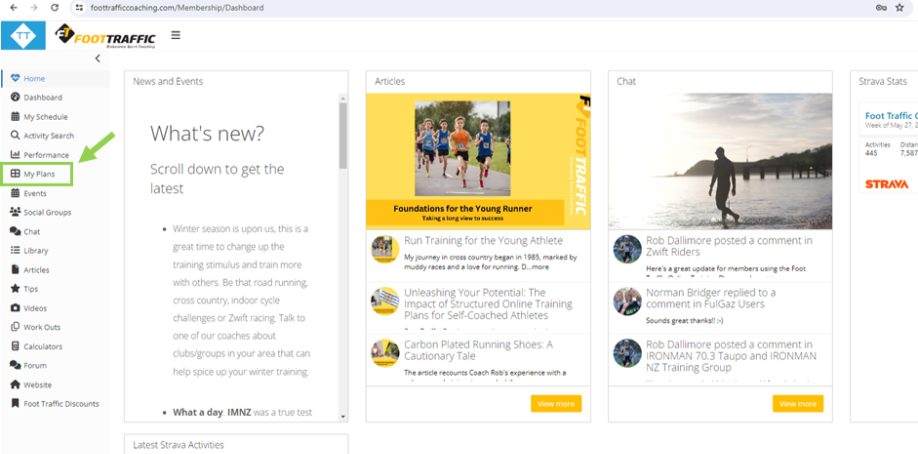
Click on 'My Plans'.
Search for the plan you wish to add to your schedule.
Under 'All Types' select the sport you are looking for, then click Search.
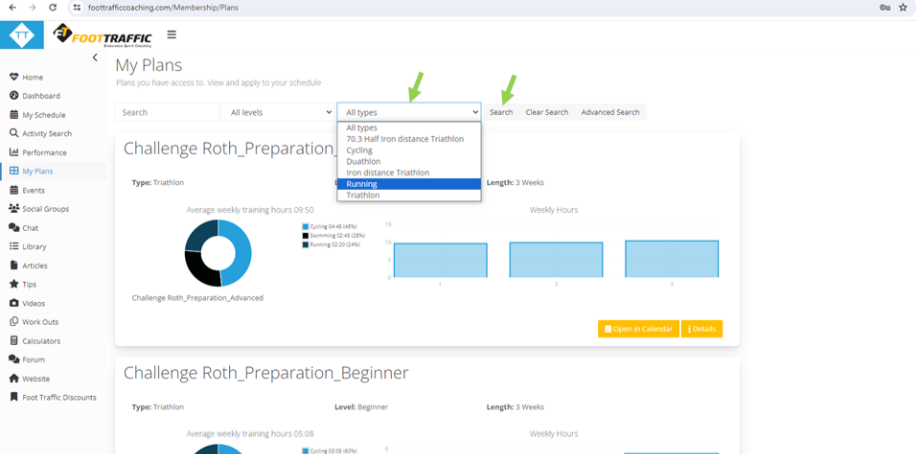
Once here, scroll through and find the plan you wish to add to your schedule. Clicking on 'iDetails' gives you more information on the Plan. Clicking on 'Open in Calendar' will allow you to add the plan to your schedule.
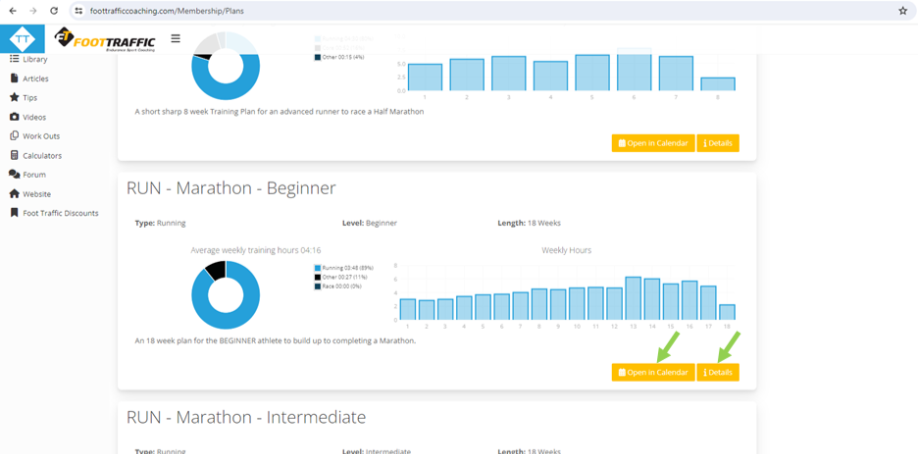
Click on 'Open in Calendar' to apply the Training Plan to your required dates.
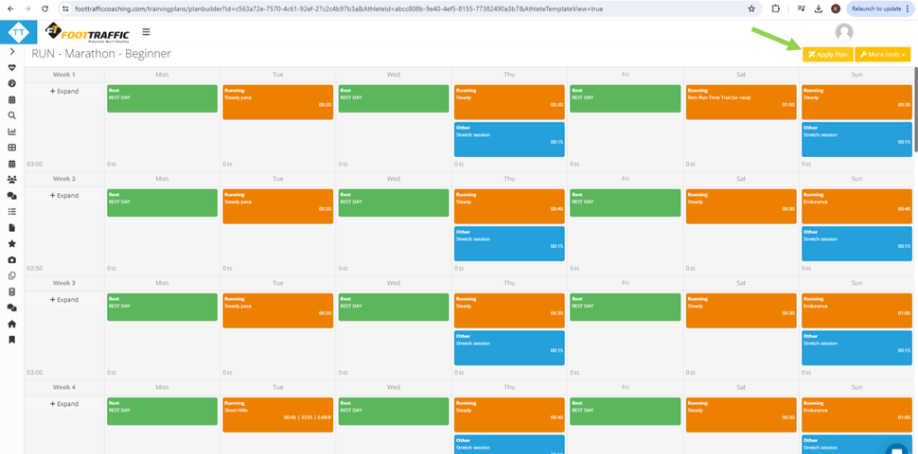
Click 'Apply Plan' on the top right.
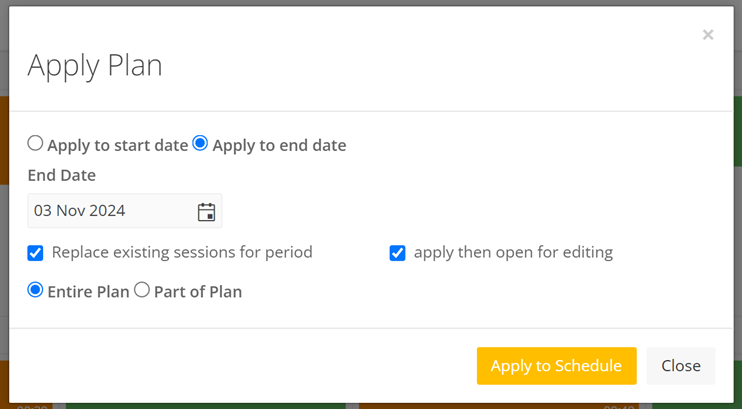
You will then be presented with some options about how to apply the plan. You can either apply the plan using a start or end date. If you select a start date the plan will be applied from that date. If you select an end date the plan will be calculated backwards and applied to your schedule. You can use an end date if you have a race scheduled, this saves having to calculate the start date before applying the plan. If using a start date you should use a Monday, and for an end date use a Sunday.
You can also just apply part of the plan if you do not wish to apply the entire plan. You can also choose whether to replace any existing sessions you have during the application period or just add to those sessions.
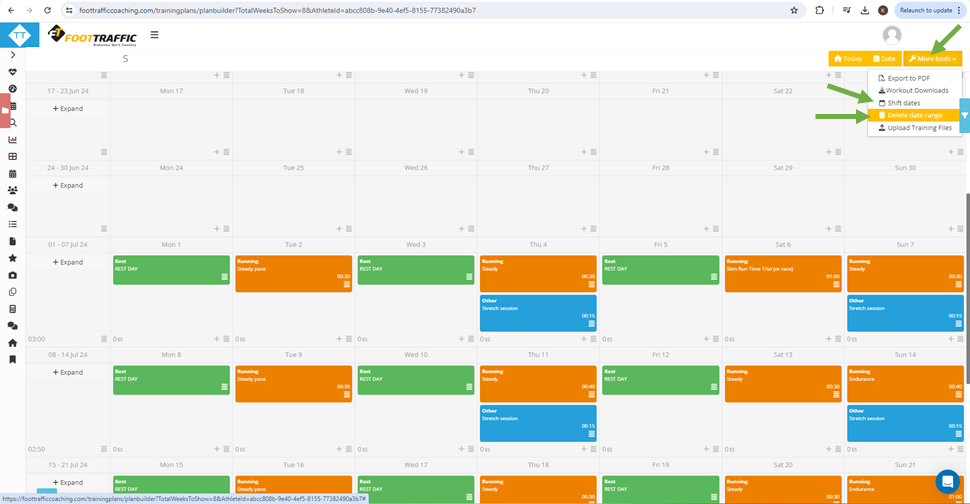
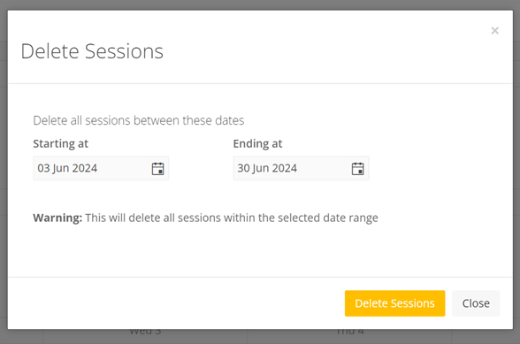
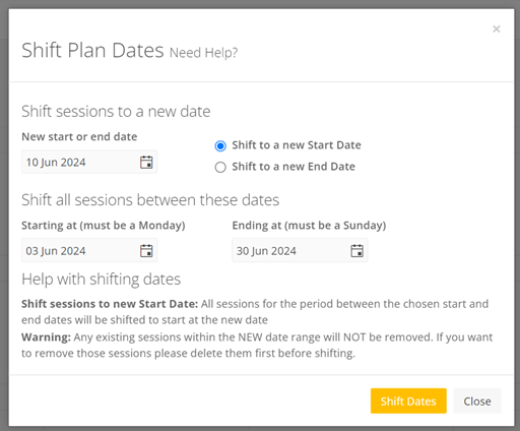
If required, there is an option to 'delete date range' or 'Shift Dates' (in the More Tools drop down), just delete the dates and start again, or select the dates you want to move.
You will also see in that same 'More Tools' menu there is an option to export the Training Plan to PDF, so as you can print it if you wish.
Alternatively contact us and we will gladly help!